Showing posts with label hack. Show all posts

2018-04-06

Some Defense Against the Dark Arts.

2018.0406 Note: This post has been sitting in my draft files for a long while.  It's old but it should still be pretty significant today.  

===============

If you have ever visited the Wall of Sheep (WoS) at the Packet Hacking Village (PHV) in  DEF CON and just decided to sight see, that's all good. If you were to take away anything from that short visit, we hope you took note of the discretely posted warnings on posters, t-shirts and stickers.  Too often, media postings will say that WoS' goal is too shame unsuspecting attendees.  Well, I assure you that is not the intent.  The WoS mission has always been education, awareness and protection.  Here are some of the messages that have been used by PHV thru the years...

"SECURITY AWARENESS FOR THE FLOCK"
"Don't Get Caught Without Encryption"
"On The Air, Beware..."

With that said, let's start with the basics....at a minimal use VPN.  The following is ripped from NordVPNs Linux install page.  I do not work for NordVPN, but they do claim total anonymity including taking payments with gift cards (Starbucks, GAP, Old Navy...etc.)  There are free VPN services out there like VPNBook, but they did not indicate if they are logging or not.

How to connect to OpenVPN via shell:
1. Open terminal (keyboard shortcut: Ctrl + Alt + T).
2. Install OpenVPN client by entering `sudo apt-get install openvpn` (if you are requested a password, enter the password which you have used when creating your account).
3. Navigate to OpenVPN configuration directory with command `cd /etc/openvpn`
4. Download OpenVPN configuration files with command `sudo wget https://nordvpn.com/api/files/zip`
4.1. In case you will get `ERROR: The certificate of `nordvpn.com’ is not trusted.`, please install `ca-certificates` package with command `apt-get install ca-certificates`
5. If you do not have `unzip` package installed, download it by typing in `sudo apt-get install unzip`
6. Extract `config.zip` with command `sudo unzip zip`
7. Remove files which will be no longer used: `sudo rm zip`
8. To see the list of all available servers, simply enter `ls -al` command and it will print full configuration file list.
9. Choose a server which you would like to connect to.
10. Start OpenVPN with a chosen configuration by entering `sudo openvpn [file name]` (for example: `sudo openvpn at1.nordvpn.com.udp1194.ovpn`).
11. OpenVPN will ask you for credentials, so simply enter those in with your NordVPN account credentials.
12. You have successfully connected to VPN. To disconnect from the OpenVPN connection simply open terminal and press Ctrl + C on your keyboard.

How to connect to OpenVPN via Network Manager:

1. Open Terminal, Applications->Accessories->Terminal
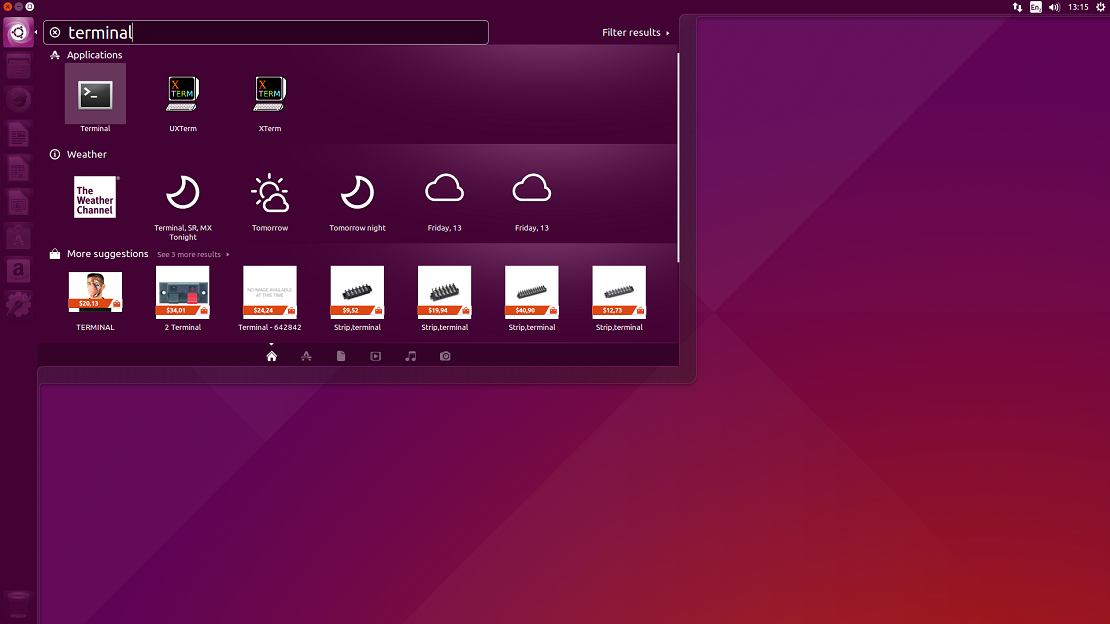
LinuxOpenVPN1
2. Install network-manager-openvpn by typing in Terminal:
sudo apt-get install network-manager-openvpn-gnome
Press Enter (Enter password if it needed).
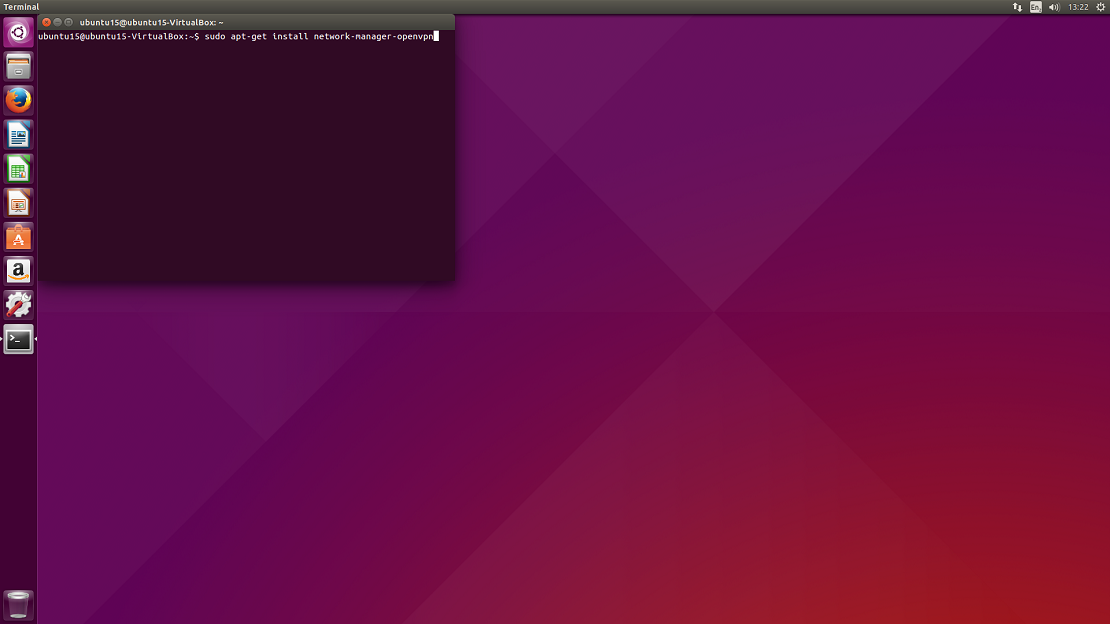
LinuxOpenVPN2
3. You will be prompted: Do you want to continue? Y/n Type Y and hit Enter.
4. Once installation is complete, restart Network Manager by typing:
sudo restart network-manager
Press Enter.
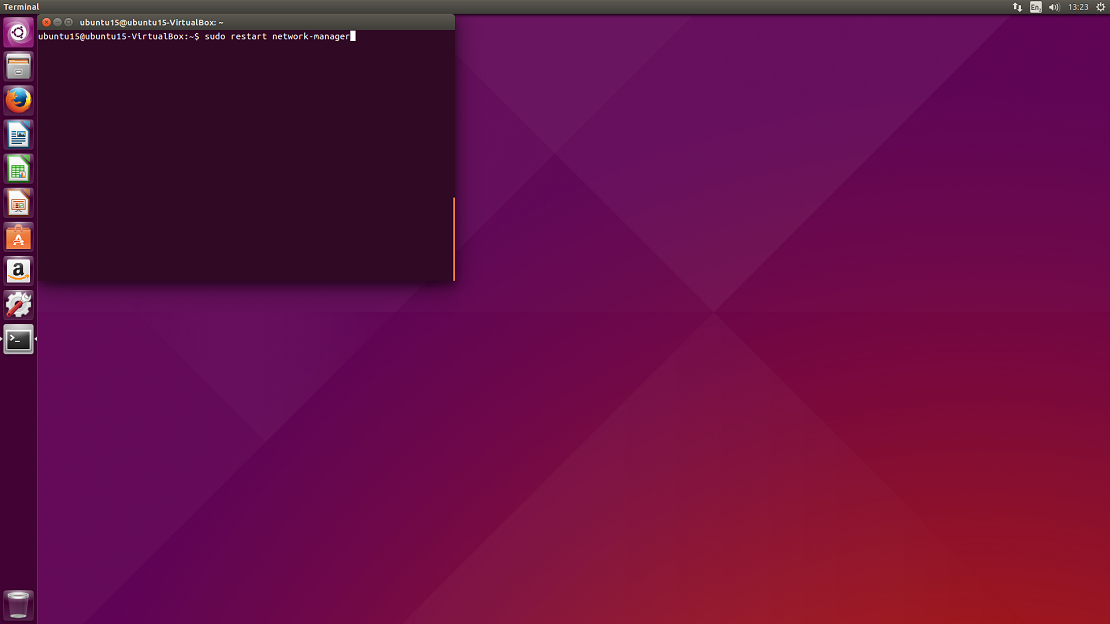
LinuxOpenVPN4
5. Network-manager is now running. Now download OpenVPN configuration files package from: .ovpn file package and CA & tls-auth certificate file package: CA and TLS certificates and extract them.
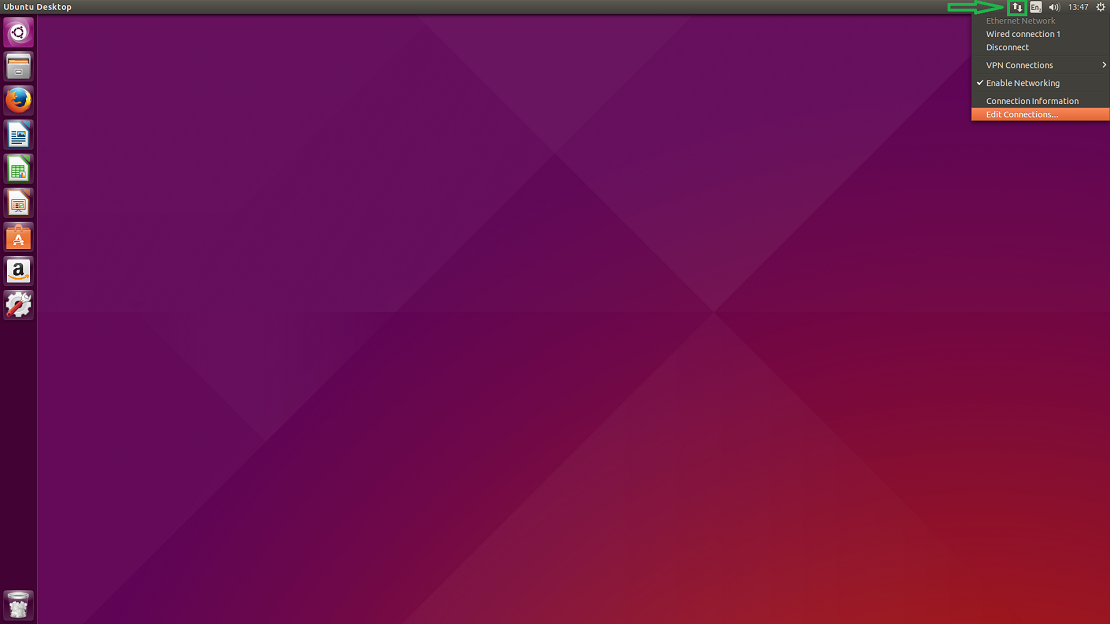
6. Click on the double arrow button at the top right of the screen and then select Edit Connections… from the drop-down.
LinuxOpenVPN6
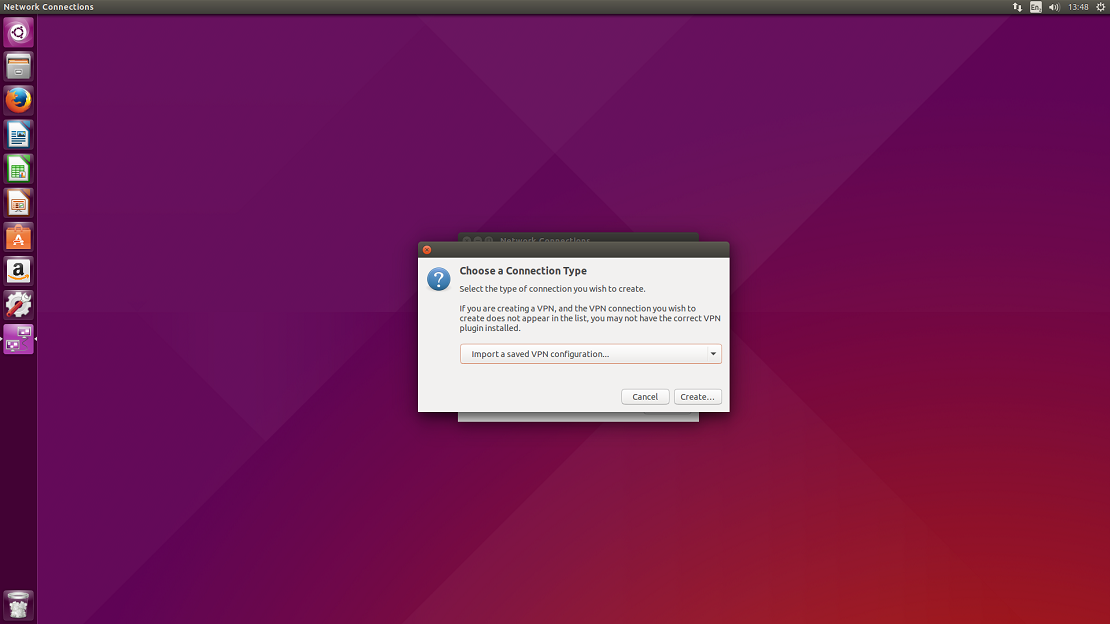
7. You will be prompted to choose a connection type. Select Import a saved VPN configuration… and click on Create…
LinuxOpenVPN7

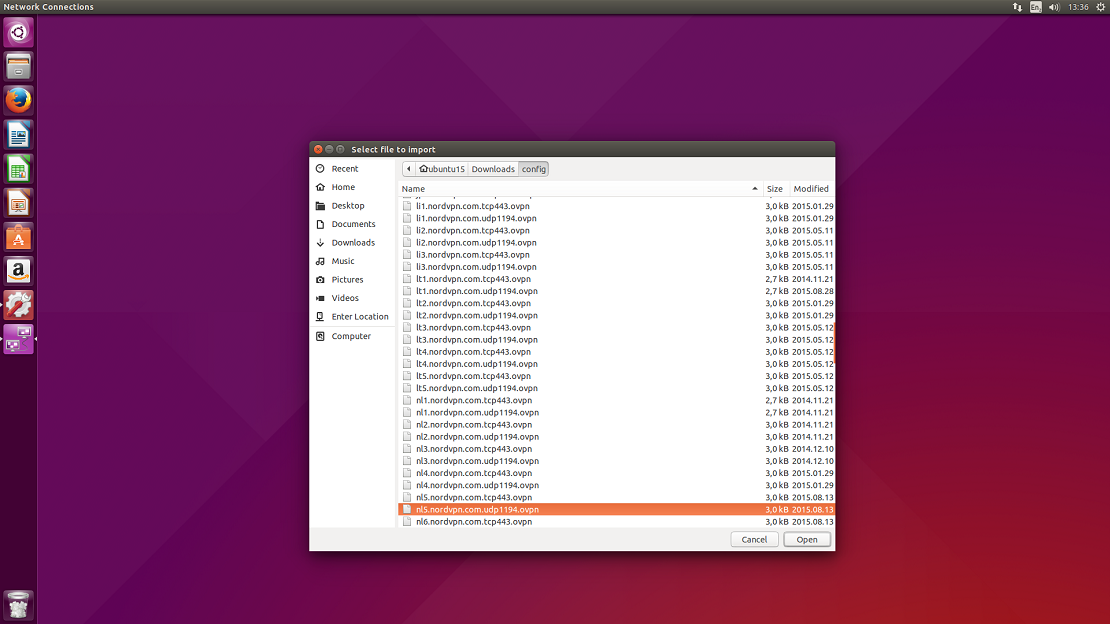
8. You will be prompted a window to select a file that you would like to import. Please navigate to a folder where you have extracted the configuration files and select one of the files from the list and click Open. You can check what file corresponds which server at our server list.
LinuxOpenVPN8
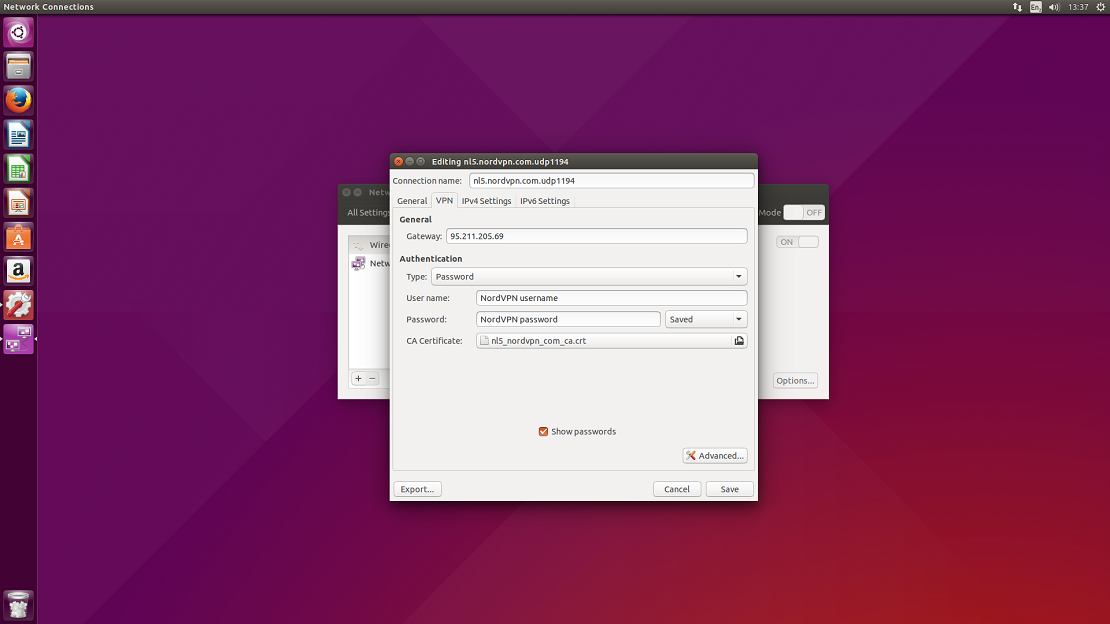
9. In the popped window select VPN tab.
GENERAL
Gateway: an IP or the hostname of the server (usually the server IP is already set in).
AUTHENTICATION
Type: Password;
User name: Your NordVPN username;
Password: Your NordVPN password;
CA Certificate: select a corresponding .crt file to the server which you are setting up, from the certificate file which you have downloaded previously.
Click on Advanced…
LinuxOpenVPN9

10. Open TLS Authentication tab.
Subject match: leave blank;
Verify peer (server) certificate usage signature: check and select Server;
Use additional TLS authentication: check;
Key file: select a corresponding .key file to the server which you are setting up, from the certificate file which you have downloaded previously;
Key direction: 1.
Click Ok and Save the configuration.
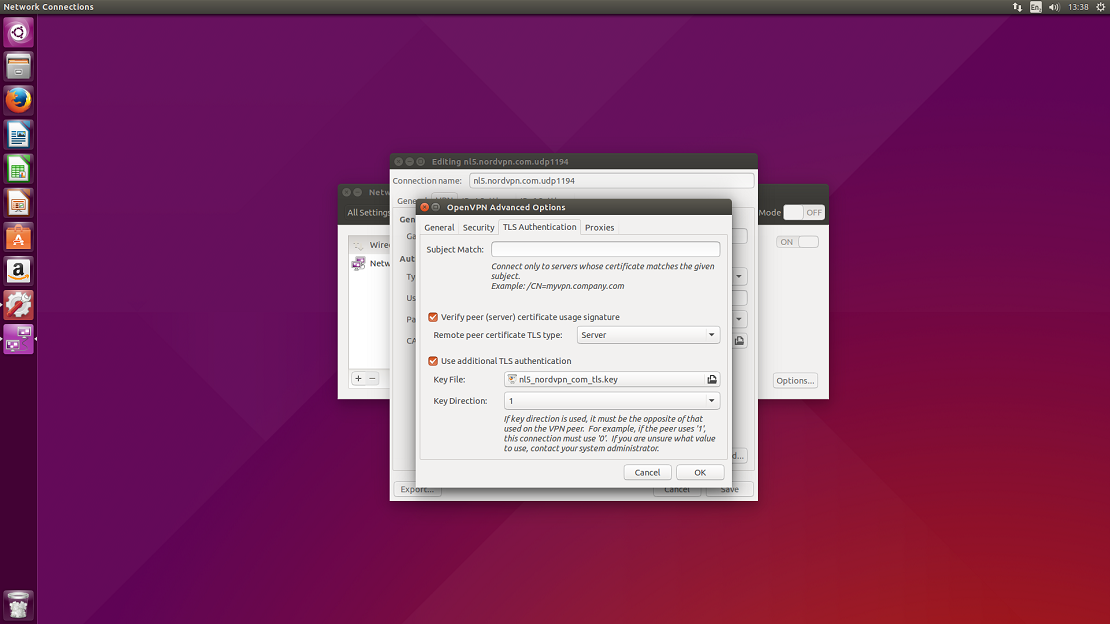
LinuxOpenVPN10

11. Now click on the double arrow button at the top right of the screen again and then select VPN connections from the drop-down.
Select the server which you have set up and click on it.
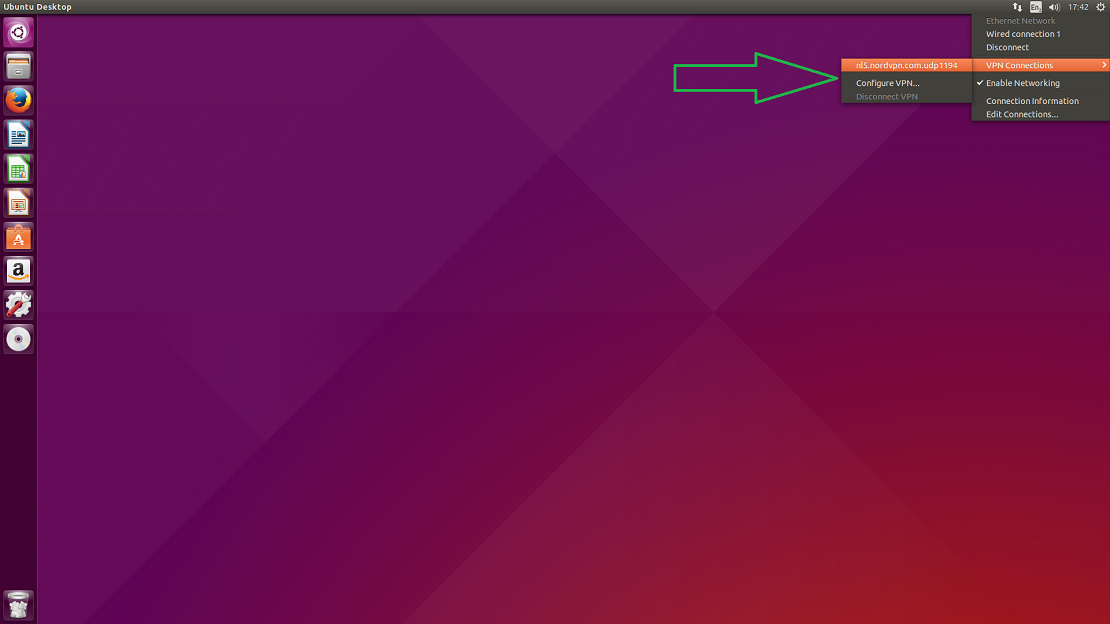
LinuxOpenVPN11

Congrats! You are connected to VPN. In NordVPN’s site you can check if the connection works well for you. Refresh the website and check if the status is shown as Secured. Until next time friends!


2017-07-27

DEFCON 25: SHEEP HUNT 2017


SHEEP HUNT 2017
The Wall of Sheep (WOS)
Packet Hacking Village (PHV)

It is time to scour the DEF CON airwaves for lost SHEEPS. Collect clues by playing and solving the different Sheep Hunt challenges.  ALL SKILL LEVELS ARE WELCOME! From n00b to 1337!

REGISTER NOW!    

GEAR NEEDED
     Laptop w/ Kali + wireless sniffing capabilities
     RF Devices - RTL-SDR, HackRFOne, UberTooth, YardStickOne…
     iPhone / Android w/ QRCode and/or RFiD scanners apps

USE OUR GEAR:

We get it! Who in their right mind would scan DEF CON’s wireless networks?  Ask a Sheep Hunt volunteer, and we’ll get you started.  (First come, First serve. Limited time use gear.)

THE SHEEP LIST

1.      QR: Hunt for QRCodes and scan for clues! Earn points by deciphering the clues.
*QRCode scanner apps work in AIRPLANE MODE or with your mobile data turned-off.

2. NFC: Hunt for NFC tags hidden in the PHV, the Wall of Sheep, or on PHV staff.  Earn points by deciphering the clues.  *NFC scanner apps should work in AIRPLANE MODE or with your mobile data off.

3. RF: Hunt for RF beacons hidden around the DEF CON hallways. Use our military-grade RF gear.  Listen and decipher the secret messages by using RF scanners.

4. AP: Find the correct SHEEP HUNT APs and start cracking.   Every key you crack & submit earns you points.  Clues to identify the correct APs are in the QR, NFC and RF challenges.


For hints follow @wallofsheep on Twitter

Hashtag #WOSSH #PHV #WOS

2016-07-02

PHV Equipment Check for DEFCON 24 [revised 201:10:40]

08/10/2016 UPDATE: This post also appeared in the Wall of Sheep blog ->> CLICK HERE

They say not to bring any electronic devices at DEFCON!? .... what's the fun in that? Well, your mother also said not to get in a strange car with a stranger... UBER, anyone?

It’s time to prep your gear for the Packet Hacking Village (PHV) at DEFCON 24. Although, the PHV staff will have some gear for you to use, I highly recommend to bring your own "FOR DEFCON USE ONLY" gear.

For the Wall of Sheep and Wi-Fi Sheep Hunt you'll need a laptop with wired and wireless sniffing capabilities. I spent about $200 for a used laptop from eBay. Also, invested on an Alpha wireless USB card from Amazon, load Kali on the laptop and you're basically good to go. Most tools you'll need are already included in Kali.  The PHV staff can help you refine your setup and config depending on what event you want to try out.

For Sheep City, you can use the same laptop you plan to use for WOS and WIFISH.  But it will require a bit more creativity and possibly a visit to the vendor area or Fry's.  Prep for Bluetooth, ZigBee, IrDa, RF...etc. Be ready for anything.

Packet Detective runs like a classroom format. IMHO, this is a "MUST DO" event at PHV. PHV will have laptops setup for PD Agent trainees to use... Yes, you don't have to bring your own laptop to participate.  This is a very popular event and laptops are limited. Sign up early.

Wi-Fi Sheep Hunt will also have a sign-up sheet for the gear use this year. You can use your own equipment to join the RF Sheep Hunt and code breaking fun.  There will also be a couple of laptops for players to use, if you're to chicken to use yours, but only for limited time slots. 

Capture the Packet has produced Black Badge winners at DEFCON. If you're just prepping now, you're already behind... you get my drift.

If you're asking which one to do first, I'd say do it all! But if it's your first ever visit at PHV, here's the order of events I'd suggest..

1. Packet Detective

2. Wall of Sheep
3. WiFi Sheep Hunt
4. Sheep City
5. Capture The Packet

Don't forget about the PHV Speaker Workshops which are excellent that it's almost always standing room only, no equipment required... well, maybe at least a pen and paper. PHV is also an excellent spot if you just want to hangout. Drop by and check out our DJs at the WOSDJCO... it will be hard to miss them -> required equipment = a drink in hand.  
...

2015-08-27

Ten Essential WiFi Hacking Tools

Note: All the information below are from http://www.hackingtutorials.org/wifi-hacking-tutorials/ - for additional cool WiFi info visit their website. 
In this top 10 Wifi Hacking Tools we will be talking about a very popular subject: hacking wireless networks and how to prevent it from being hacked. Wifi is often a vulnerable side of the network when it comes to hacking since signals can be picked up everywhere and by anyone. Router manufacturers and ISPs turning on WPS by default makes wireless security and penetration testing even more important. With the following top 10 Wifi hacking tools we are able to test our own wireless networks for potential security issues. Let’s start off the top 10 Wifi Hacking Tools with the first tool:

1 Aircrack-ng

Aircrack is one of the most popular tools for WEP/WPA/WPA2 cracking. The Aircrack-ng suite contains tools to capture packets and handshakes, de-authenticate connected clients and generate traffic and tools to perform brute force and dictionary attacks. Aicrack-ng is an all-in-one suite containing the following tools (among others):
– Aircrack-ng for wireless password cracking
– Aireplay-ng to generate traffic and client de-authentication
– Airodump-ng for packet capturing
– Airbase-ng to configure fake access points
The Aicrack-ng suite is available for Linux and comes standard with Kali Linux. If you plan to use this tool you have to make sure your Wifi card is capable of packet injection.

Aircrack-ng aireplay-ng WPA Handshake

2 Reaver

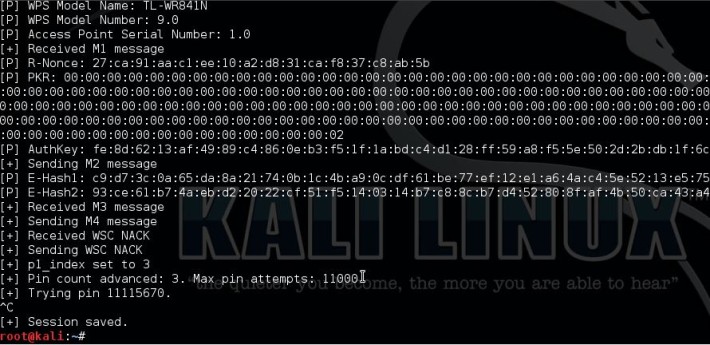
Number 2 in the top 10 Wifi hacking tools is Reaver. Reaver is another popular tool for hacking wireless networks and targets specifically WPS vulnerabilities. Reaver performs brute force attacks against Wifi Protected Setup (WPS) registrar PINs to recover the WPA/WPA2 passphrase. Since many router manufacturers and ISPs turn on WPS by default a lot of routers are vulnerable to this attack out of the box.
In order to use Reaver you need a good signal strength to the wireless router together with the right configuration. On average Reaver can recover the passphrase from vulnerable routers in 4-10 hours, depending on the access point, signal strength and the PIN itself off course. Statistically you have a 50% chance of cracking the WPS PIN in half of the time.

Pixie Dust attack

3 Pixiewps

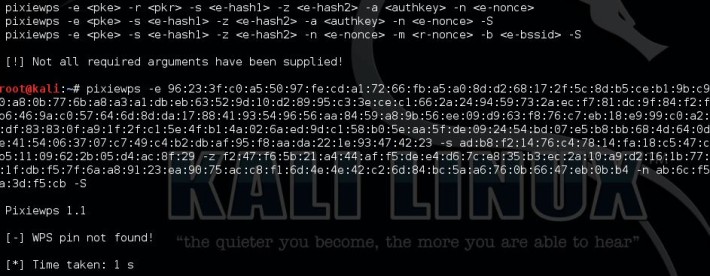
PixieWPS is a relatively new tool included with Kali Linux and also targets a WPS vulnerability. PixieWPS is written in C and is used to brute force the WPS PIN offline exploiting the low or non-existing entropy of vulnerable access points. This is called a pixie dust attack. PixieWPS requires a modified version of Reaver or Wifite to work with. Since this tools has become quite popular in little time, it earns the number 3 in our top 10 Wifi hacking tools list.

Pixie Dust attack

4 Wifite

Wifite is an automated tool to attack multiple wireless networks encrypted with WEP/WPA/WPA2 and WPS. On start-up Wifite requires a few parameters to work with and Wifite will do all the hard work. It will capture WPA handshakes, automatically de-authenticate connected clients, spoof your MAC address and safe the cracked passwords.


5 Wireshark

Wireshark is one of the best network protocal analyzer tools available, if not the best. With Wireshark you can analyse a network to the greatest detail to see what’s happening. Wireshark can be used for live packet capturing, deep inspection of hundreds of protocols, browse and filter packets and is multiplatform.
Wireshark is included with Kali Linux but also available for Windows and Mac. For certain features you do need a Wifi adapter which is supports promiscuous and monitoring mode.


6 oclHashcat

Number 6 in our top 10 Wifi hacking tools is oclHashcat. oclHashcat is not a dedicated Wifi hacking tool and is not included with Kali Linux, but it can do brute force and dictionary attacks on captured handshakes very fast when using a GPU. After using the Aircrack-ng suite, or any other tool, to capture the WPA handshake you can crack it with oclHashcat using your GPU. Using a GPU with oclHashcat, instead of a CPU with Aicrack-ng, will speed up the cracking process a lot. An average GPU can try about 50.000 combinations per second with oclHashcat.
oclHashcat is available for Windows and Linux and has a version for AMD and Nvidia video cards. AMD video cards require Catalyst 14.9 exactly and Nvidia video cards require ForceWare 346.x or later to work.

oclhashcat

7 Fern Wifi Cracker

Fern Wifi Cracker is a wireless security auditing and attack tool written in Python. Fern Wifi Cracker is the first dedicated Wifi hacking tool in this list which has an graphical user interface. Fern is able to crack and recover WEP, WPA and WPS keys and contains tools to perfom MiTM attacks.
Fern Wifi Cracker runs on any Linux distribution which contains the prerequisites. Fern Wifi Cracker is included with Kali Linux.


8 Wash

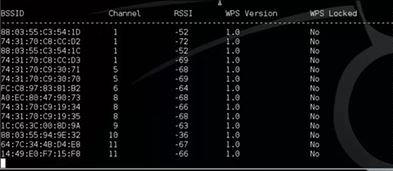
Wash is a tool to determine whether an access point has WPS enabled or not. You can also use Wash to check if an access point locked up WPS after a number of Reaver attempts. A lot of access points locks itself up as a security measure when brute forcing the WPS PIN. Wash is included with the Reaver package and comes as a standard tool with Kali Linux.

Wash-WPS-locks wifi hacking tools Top 10 Wifi Hacking Tools

9 Crunch

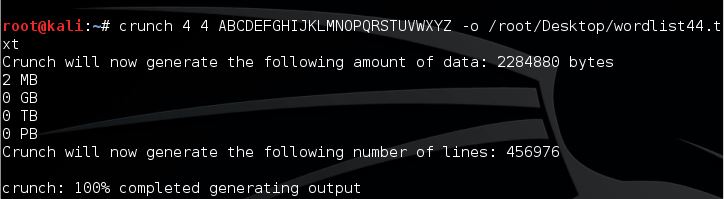
Crunch is a great and easy to use tool for generating custom wordlists which can be used for dictionary attacks. Since the success rate of every dictionary attack depends on the quality of the used wordlist, you cannot avoid creating your own wordlist. Especially when you want to create wordlists based on default router passwords. Crunch can also be piped directly to other tools like Aircrack-ng. This feature can save a lot of time since you won’t have to wait until large password lists have been generated by Crunch before you can use them.

Crunch Password List generation Top 10 Wifi Hacking Tools

10 Macchanger

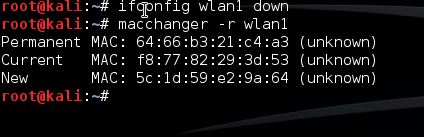
Last but not least in this top 10 Wifi Hacking Tools is Macchanger. Macchanger is a little utility which can be used to spoof your MAC address to a random MAC address or you can make up your own. Spoofing your MAC address for wifi hacking might be necessary to avoid MAC filters or to mask your identity on a wireless network.

MAC Address spoofing with macchanger